Hydrophone surveys
Record calibrated underwater sound while retaining operator, site, deployment and equipment details.
Android hydrophone field recorder
HydroScope connects a class-compliant USB audio interface and hydrophone to an Android phone for live spectrogram and FFT review, calibrated SPL, reliable WAV recording and project-ready field metadata.
A field instrument in your pocket
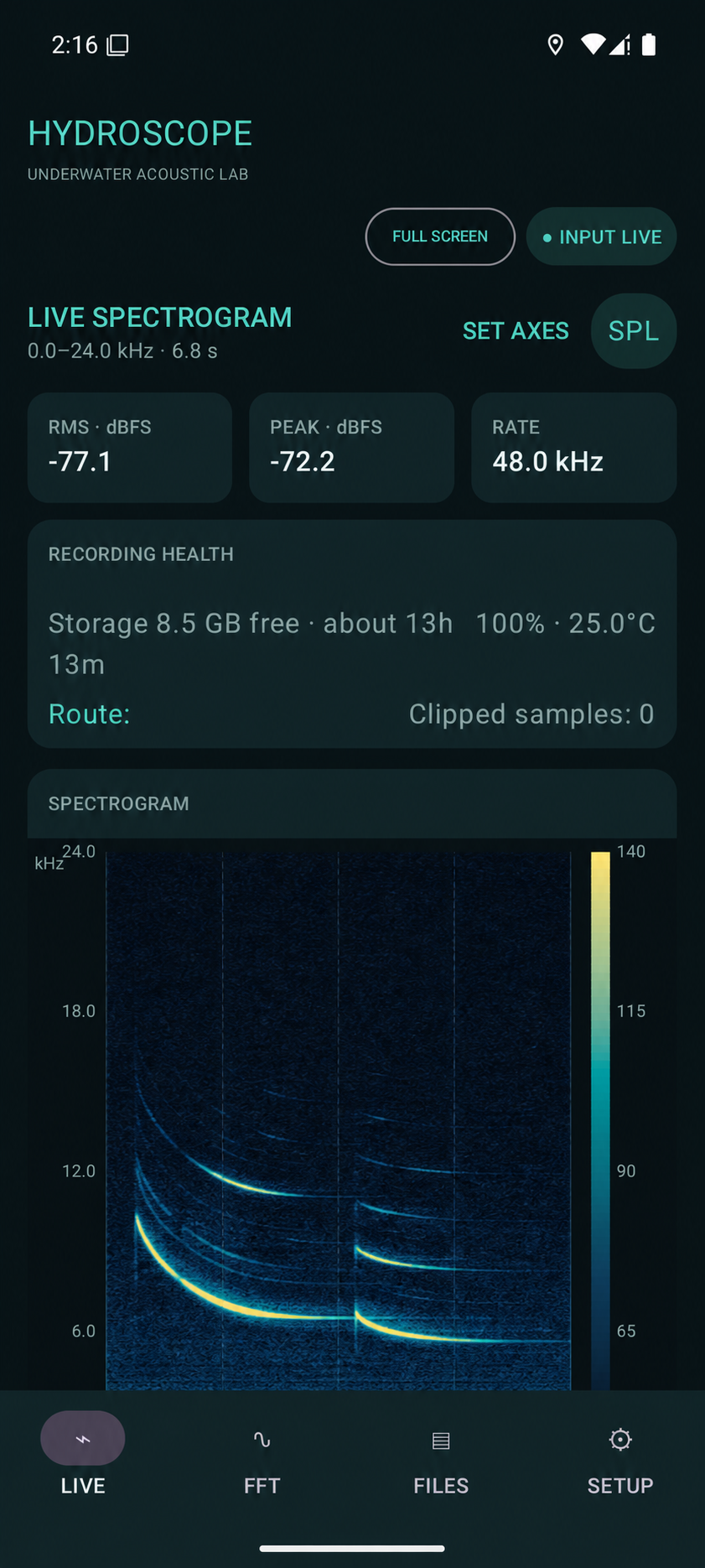
Monitor the incoming signal, confirm the routed sound card and spot clipping, dropouts, battery or storage concerns while the deployment is still in front of you.
Use a scrolling spectrogram, real-time FFT, peak hold, averaging and configurable time, frequency and level axes. Switch to a landscape full-screen view when the plot matters more than the controls.
Import a frequency-dependent hydrophone sensitivity curve, enter interface full-scale voltage and preamplifier gain, then display broadband, band-limited, Leq, SEL and percentile levels in dB re 1 µPa.
Record mono or stereo PCM WAV files with configurable automatic rollover, timed capture, event markers, project notes and permission-aware GPS tracks.
HydroScope applications
Record calibrated underwater sound while retaining operator, site, deployment and equipment details.
Use the live spectrogram, FFT and level meters to confirm the hydrophone and signal chain before deployment.
Capture time-aligned audio, positions and field events around vessel, piling, dredging and construction activity.
Mark vocalisations and observations while recording, then carry the complete session into Analyze for review.
Inspect tonal and broadband energy in real time and save WAV evidence with its location and calibration context.
Show waveform level, frequency content and calibrated SPL directly on an Android phone or tablet.
Core capabilities
Select a class-compliant interface, sample rate and mono or stereo capture path.
Review live frequency content with selectable palettes, scales, averaging and peak hold.
Retain the actual sensitivity curve and interface settings used during recording.
Continue through automatic WAV rollover with foreground capture, health checks and dropout recovery.
Keep time-aligned positions, threshold events, operator, site and deployment notes with every session.
Record and inspect locally without requiring a data connection or cloud account.
HydroScope → Analyze
Export one portable HydroScope project package containing every project recording, GPS track, detected event, session record and the hydrophone calibration used in the field.
Open the package in Analyze to create or update the matching project. Content fingerprints identify recordings already present, so repeat imports skip existing data and add only new field files.
The calibration travels inside the package for provenance. Analyze asks whether to import it and, when a curve with the same name already exists, lets the analyst keep or replace the installed version.
Original WAV files, positions, event timing and calibration context remain connected as the project moves into waveform, FFT, spectrogram, SPL, charting and modelling tools.
Common questions
An Android 8 or later phone or tablet, a USB OTG connection, a class-compliant USB audio interface and the appropriate hydrophone or analogue front end.
Yes. Uncalibrated displays and level meters use dBFS. Importing a sensitivity curve and entering the voltage/gain chain enables calibrated SPL.
WAV files are placed in the public Music/HydroScope directory. Metadata and portable project packages are placed in Download/HydroScope.
Google Play release preparation is underway. Contact Blackfish Acoustics to join the test and release list.
Tell us which hydrophone, interface and deployment method you use. We can focus testing around the hardware and data path that matter to you.