
Tone bursts
Repeated single-frequency pulses with cycle-based ramp-in and ramp-out tapers and integer-cycle finishing.
Pulse Gen · Calibrated signal generation
Pulse Gen turns your projector and amplifier calibration into drive-limited test signals, offshore-wind pile-driving sound and marine-mammal calls, plays them through an NI DAQ, and records the measured voltage, current and hydrophone response in the same project.
Windows
Calibration first
Import the projector transmitting voltage response (TVR) and the amplifier gain curve, enter their voltage limits, and Pulse Gen uses them in every generation, playback and safety calculation. When a requested level would exceed a stored limit, Pulse Gen reduces the drive and records the limiting in the file notes.
For synthetic sources such as pile driving and marine-mammal calls, Pulse Gen predicts pressure from the complete generated spectrum using the amplifier gain and projector TVR at every frequency. The target is the maximum 125 ms Hann-window broadband RMS level, in dB re 1 µPa at 1 m. After the digital, amplifier and projector voltage limits are applied, the final level and any shortfall are recomputed from the saved WAV itself.
Calibrated generation needs measured curves that cover at least 99% of the generated drive energy. If they don’t, Pulse Gen reports the band it could cover and the unsupported fraction, instead of stretching a low-frequency projector’s curve over whistles or clicks. Each file’s sidecar keeps a copy of the curve points and DAC voltage used, so later edits to the curves can’t change what the file claims.
Signal generation
Repeated single-frequency pulses with cycle-based ramp-in and ramp-out tapers and integer-cycle finishing.
A stepped series of tone bursts between low and high frequencies, inside the calibrated band.
Linear and hyperbolic frequency-modulated pulses with selectable envelope shading.
Up to five tones with explicit frequencies and relative phases, driven by SPL target or direct amplifier-input voltage.
A carrier tone with controllable amplitude-modulation frequency and depth.
Demonstration sequences chosen from the selected projector and amplifier curves, with resonance keep-away.
Synthetic sources
Propeller harmonics with frequency wander, flow and cavitation noise, and diesel, electric, gasoline or turbine engine signatures.
Gearbox, direct-drive and floating offshore wind or tidal-turbine profiles with blade-pass modulation and foundation resonance.
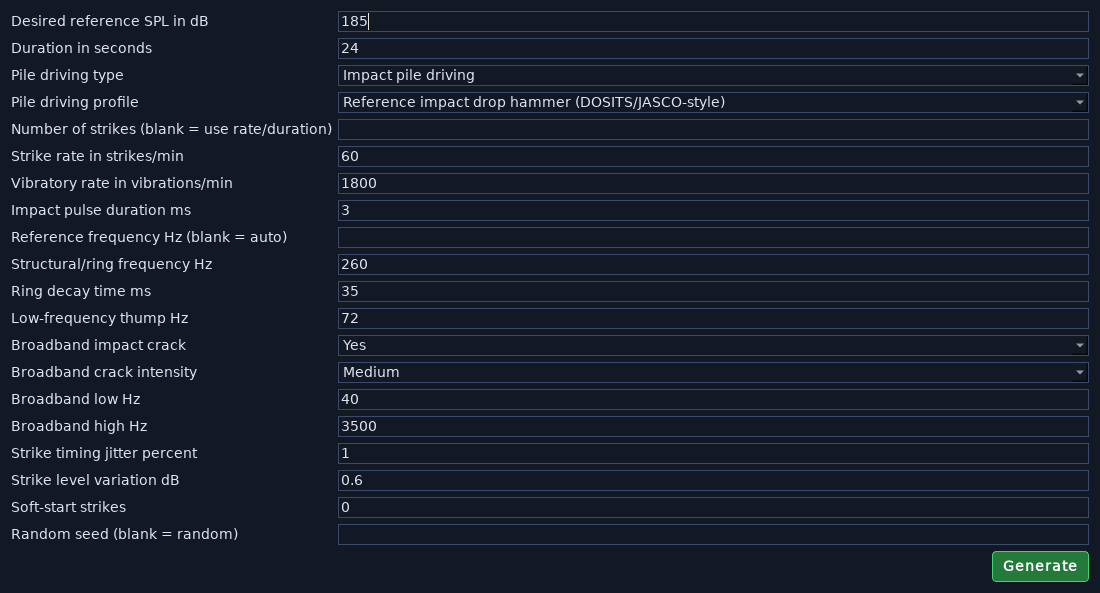
Impact or vibratory driving, with offshore-wind styles, strike-by-strike diagnostics and a seed for repeatable output. More below.
Breathing cycles, bubbles, regulator hiss, fin movement and gear noise.
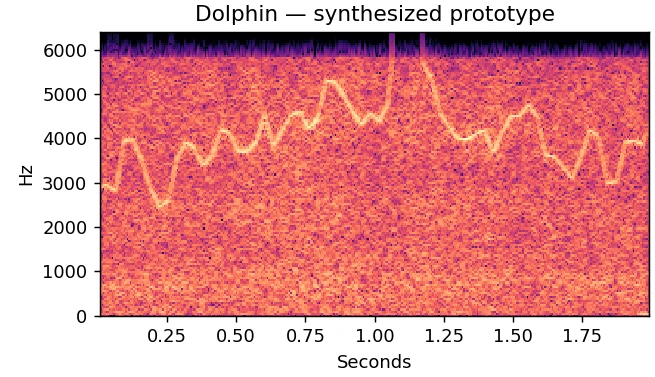
Synthesised calls for 15 species from learned parameter models. More below.
Offshore-wind pile driving
Choose an offshore style for impact driving and Pulse Gen sets the strike envelope, decay and rate. The ring, thump and noise band follow the combined response of your amplifier and projector, and your manual changes survive switching styles or curves.
| Style | Decay constant | Strikes/min | Character |
|---|---|---|---|
| Standard monopile | 90 ms | 50 | Sharp onset, sustained low-frequency body |
| Heavy monopile | 120 ms | 40 | Fuller thump and longer ring |
| Jacket pin-pile | 60 ms | 60 | Compact body and stronger onset texture |
| Soft start | 90 ms | 40 | Standard shape; the first eight strikes ramp up |
| Distant / reverberant | 180 ms | 50 | Softer onset, longer tail and delayed copies |
Marine-mammal calls
Marine Mammal Generation synthesises new calls from portable parameter models learned from annotated recordings. Tonal models capture pitch contours, amplitude envelopes, harmonics and spectral shape; click models capture centre frequency, bandwidth, pulse duration and interval patterns. Each call is built fresh, so the models contain no source audio.
Calls are scaled with the same calibrated level method as other synthetic sources. A continuous soundscape option keeps a quiet background running between calls and lets each call decay naturally, for playback that sounds less like isolated clips.
| Species | Training units | Notes |
|---|---|---|
| Humpback whale | 306 | Tonal and textured calls; rare call families have little support |
| Blue whale | 128 | Low-frequency calls |
| Fin whale | 128 | Low-frequency calls; mostly unspecified call labels |
| Right whale | 128 | Upcalls |
| Dolphin | 96 | Wideband tonal calls, including whistles |
| Long-finned pilot whale | 75 | Tonal and whistle calls |
| Orca | 36 | Distinct tonal contours; pulsed and click calls not yet modelled |
| Sperm whale | 42 | Clicks with measured coda interval patterns |
| Cuvier’s beaked whale | 45 | Ultrasonic click trains; 192 kHz or higher output |
| Gervais’ beaked whale | 47 | Ultrasonic click trains; 192 kHz or higher output |
| Sowerby’s beaked whale | 43 | Ultrasonic click trains; 384 kHz or higher output |
| Sei whale | 11 | Limited prototype |
| Beluga whale | 9 | Small source collection |
| Gray whale | 2 | Limited reference parameters |
| Minke whale | 1 | Single reference; limited support |
Beaked-whale models require a minimum sample rate rather than shifting calls into an audible band. Your output hardware must support that rate and bandwidth.
Generated files can be scored by Analyze’s trained classifiers as the predicted emitted sound, as the electrical drive signal, or as a real recording, each reported separately.
Encode short text (up to 128 bytes) as a sequence of synthesised calls, with a CRC check, and decode it from a saved WAV. Offline and unencrypted.
Playback, monitoring and recording
The playback monitor shows the commanded signal beside the measured inputs: voltage and current probes, hydrophones and accelerometers, across one or more NI DAQs. Input diagnostics flag missing samples and suspicious floating channels before they mislead a result.
Specialist tools
Measure and lock correction tones for the second to fifth harmonics of a fixed fundamental, with before-and-after spectra.
Calculate shaft-rate and blade-pass targets, then measure the output-to-hydrophone transfer and latency response.
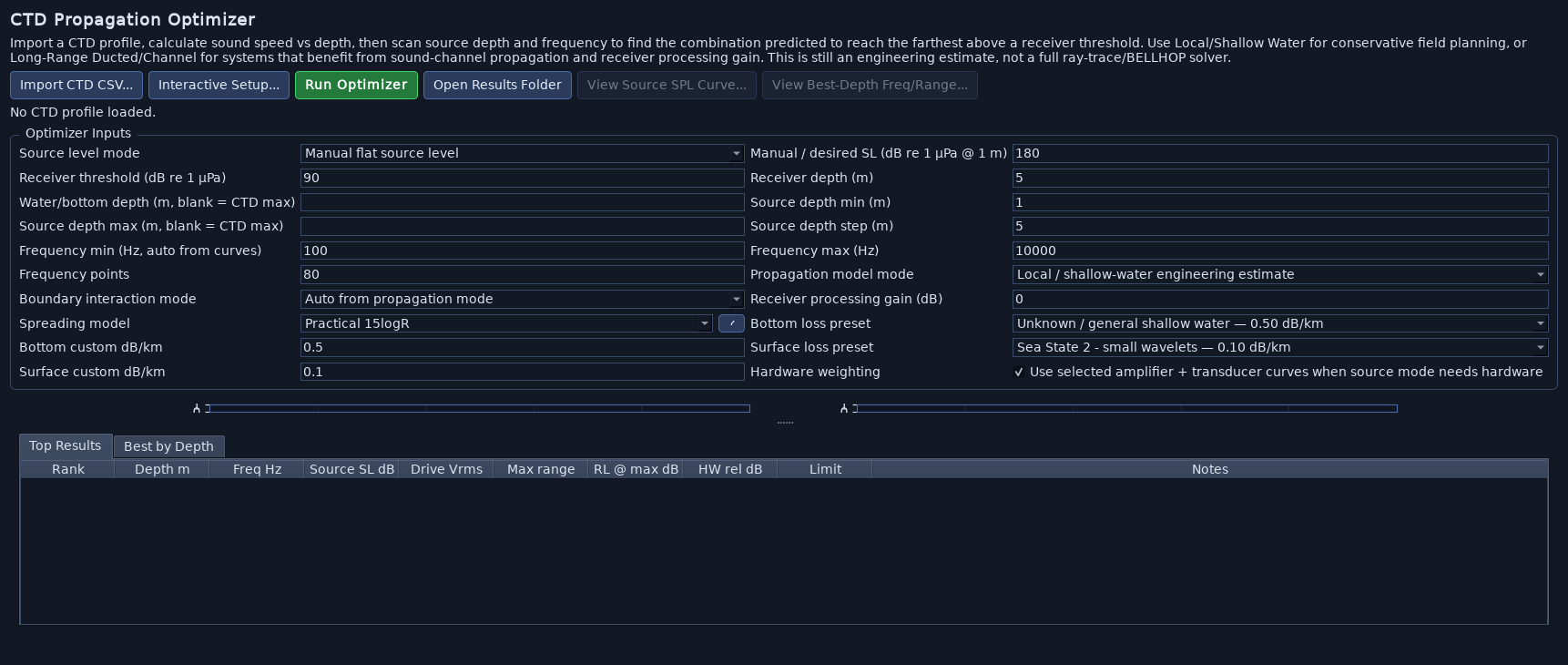
Scan source depth and frequency against an imported CTD profile to find the combinations predicted to reach farthest.
Encode text messages into acoustic WAV signals with a passphrase, or as offline marine-call sequences, and decode supported message WAVs.
Join compatible WAV files in a chosen order, with optional gaps and a map of section boundaries.
Generated files, playback sessions, metadata and GPS records are organised beneath the active project.
Editions
Pulse Gen is available as a full edition or as a tailored edition built around a specific project—for example, tone generation and pile-driving noise only. Every edition includes playback, DAQ setup, calibration curves, projects and GPS logging, and comes with a user manual written for the tools it contains.
Pulse Gen questions
Generating signals and reviewing files can be done without an attached DAQ. Playback, live acquisition and calibration need compatible NI DAQ hardware with the NI-DAQmx driver installed.
Not necessarily. The requested level is a calibration-based estimate, and the drive can be reduced when stored limits are reached. Confirm the achieved level with a calibrated measurement channel.
They are acoustic prototypes learned from annotated recordings, not certified species emulators. Support varies by species: some models have over a hundred training units, others only one or two. Check them against independent recordings before relying on them.
Windows.
Tell us about the projector, amplifier, DAQ and signals you need, and we’ll recommend an edition.